GitHub Instructions
Instructions for Editing the Page via GitHub
Simply click the 'Edit this page' link at the bottom of any page to directly modify its content. These pages are written in Markdown format, so you can easily format your text using basic syntax. Link to Markdown Syntax Guide
-
Click the "Edit this page" link: This will initiate the editing process and redirect you to the GitHub repository.
-
Create a GitHub account or log in: If you don't have a GitHub account, you'll be prompted to create one. If you already have an account, log in using your credentials. This is one-time activity.
-
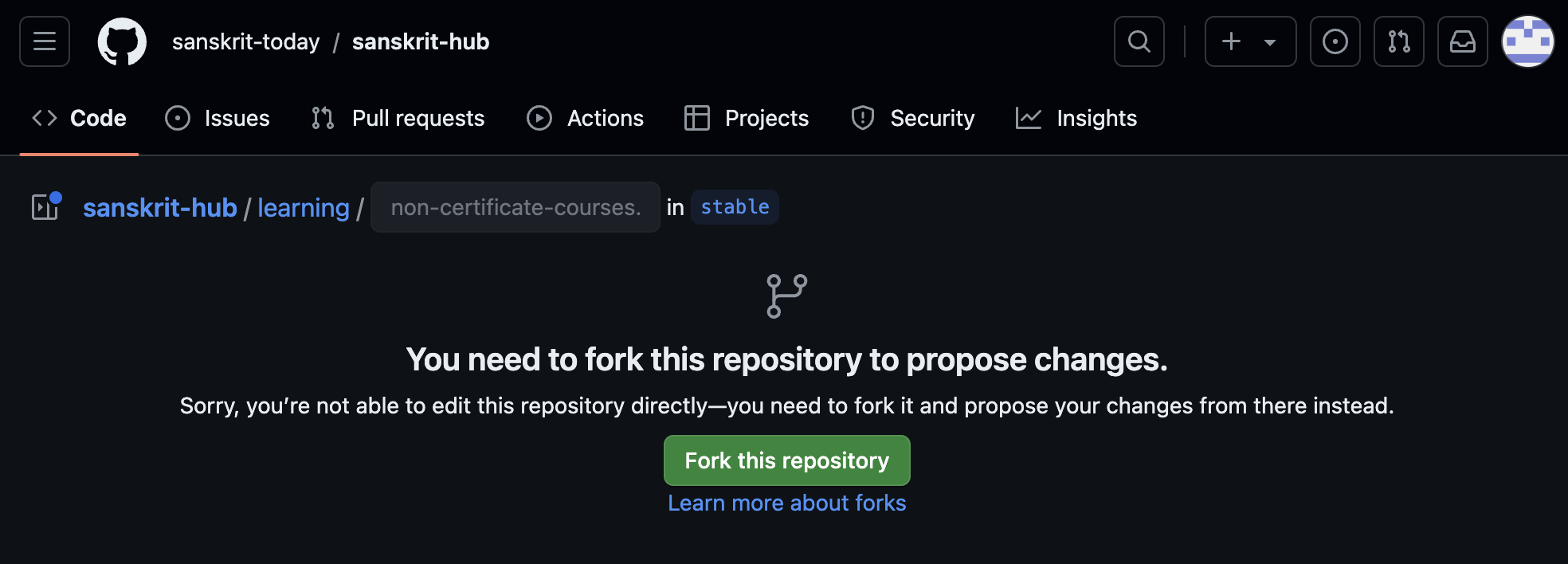
Fork the repository (if necessary): If you're editing the page in the original repository, you'll be asked to fork it before making changes. This is one-time activity. Forking creates a copy of the repository in your own account, allowing you to make edits without affecting the original. To fork the repository:
Click the "Fork this repository" button located on the repository's page.
-
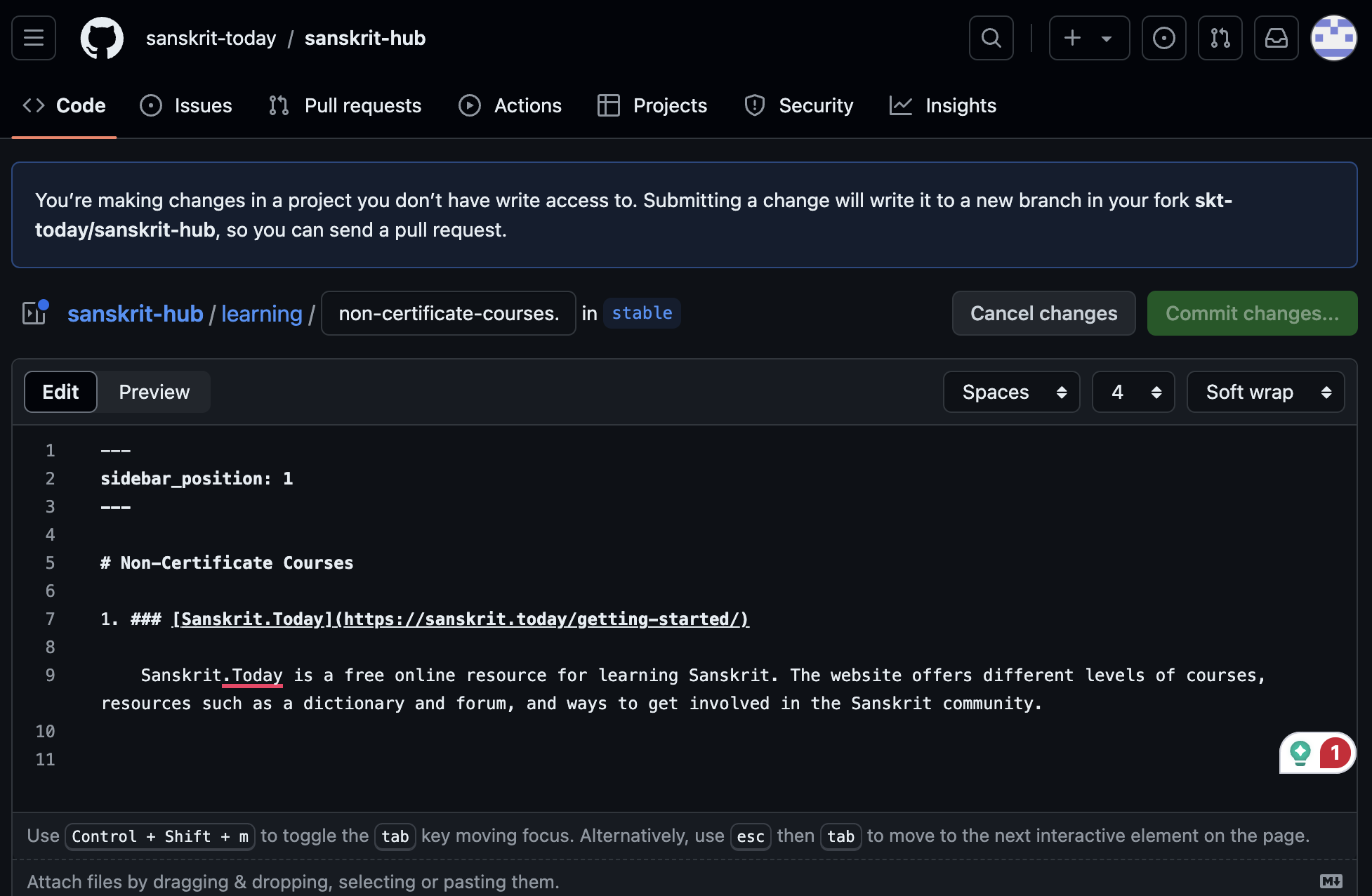
Make your changes: Once you've forked the repository, you'll be taken to your copy. The specific content that you want to edit will appear in edit mode as shown here. Edit the content as required. You may also refer to Markdown Syntax for better formatting. Link to Markdown Syntax Guide
Note: Do not insert new entries in the middle or in the beginning. Add new entries at the bottom of the page. This will be reviewed and re-ordered accordingly.
-
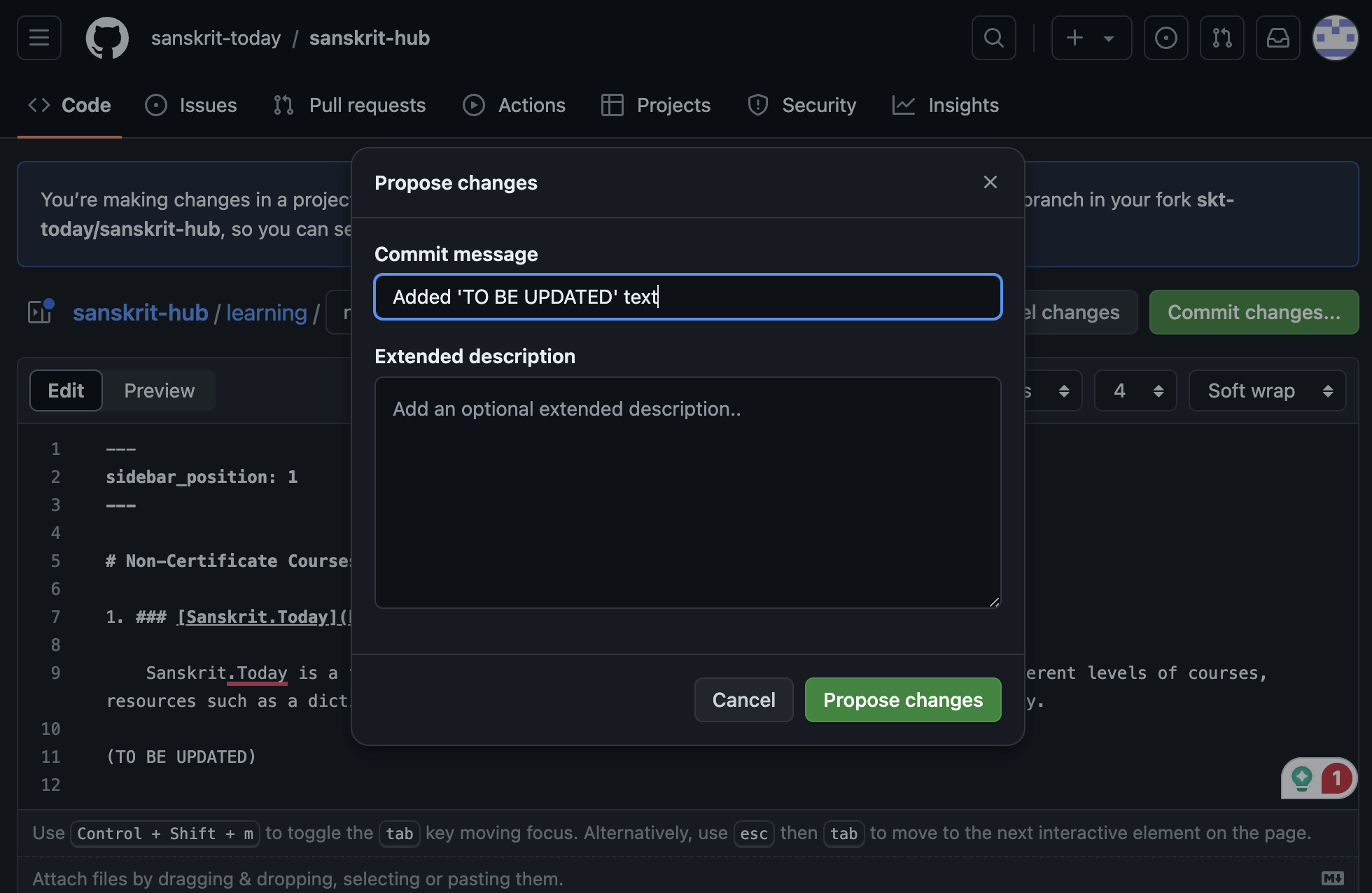
Commit your changes: When you're satisfied with your edits, click on the 'Commit changes...' button in the top right corner. The popup appears as shown below. Fill in what is changed in the 'Commit message' field as below. finally, click on the 'Propose changes' button.
-
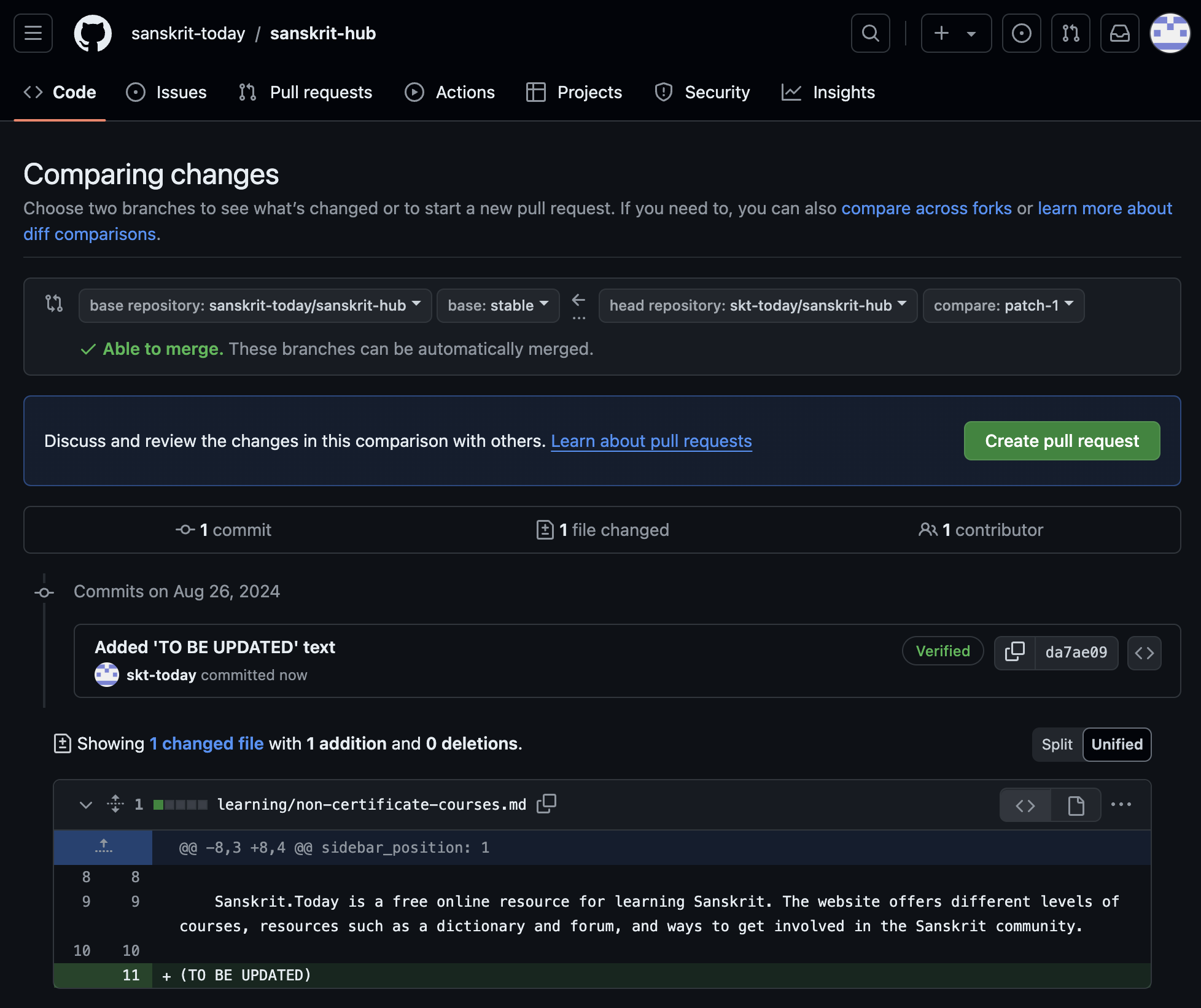
Submit a pull request: After committing your changes, the screen shown below will appear with your changes. Click on the 'Create pull request' button to send your edits for review by the repository maintainers. In the pull request description, explain your changes and why they should be accepted.
-
Wait for review and merge: The repository maintainers will review your pull request and provide feedback or request changes if necessary. Once your pull request is approved, it will be merged into the original repository, making your changes live on the page.